Carrom Pool: Disc Game
Miniclip.comSports
4.48.23K Reviews
- Version
- 19.6.1
- Installs
- 500.00M
- Age Rating
- Everyone
Screenshots
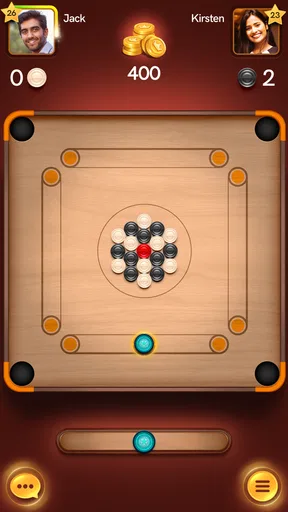
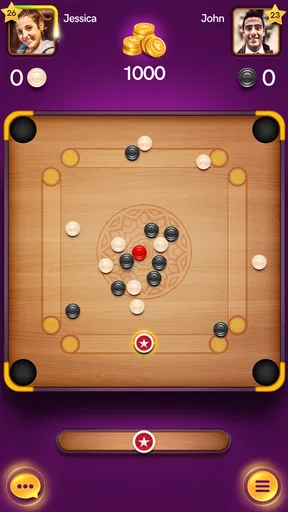
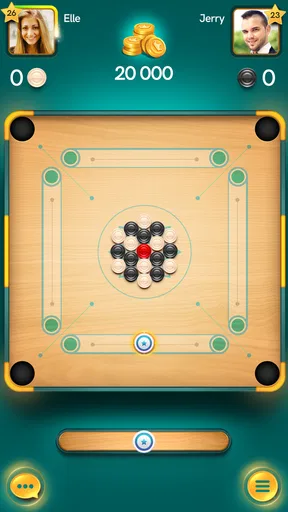
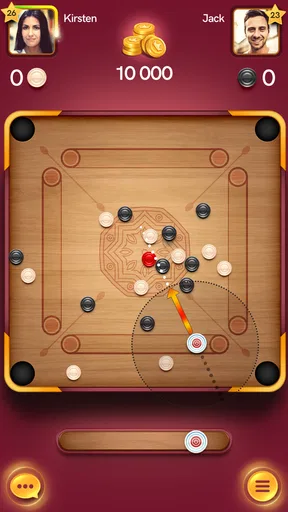
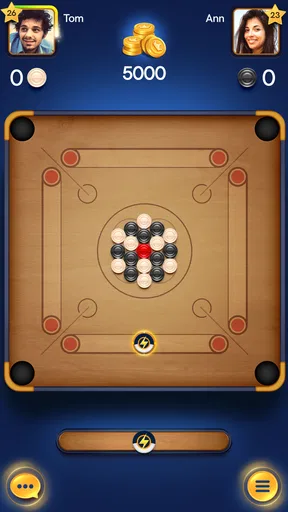
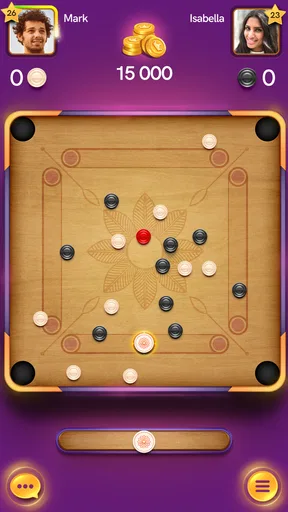
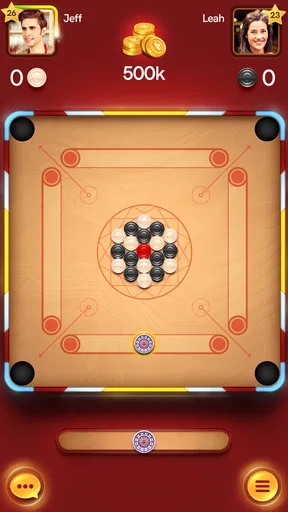
Our Review of Carrom Pool: Disc Game
 Analysis by Appyee
If you're anything like me, there's a good chance you've been on the hunt for a game that combines nostalgia, strategy, and a bit of skill. Enter Carrom Pool: Disc Game. This app has taken the classic board game we all grew up with and given it a digital twist. Whether you're a seasoned pro or a newbie, this game offers something for everyone. Let’s dive into the nitty-gritty of what makes this game a must-try.
Small Goals Make the First Matches Click
What works best for me is treating the opening matches as practice rather than a race to collect every reward or unlock. The basic loop is easy to grasp: line up a striker, choose the force and direction, then watch how the discs move. That makes it approachable even if you have never played carrom on a real board. The challenge is learning to make a shot that does more than send a disc toward a pocket; a careless hit can leave a useful opening for the other player.
For a new player, I’d focus on aiming before trying to strike hard. A softer shot can keep pieces near the pocket or avoid disturbing a cluster in an unhelpful way. When the board is crowded, take a moment to trace the striker’s path and consider where the other discs may finish. That small pause is more useful than trying to play quickly just because a match feels casual.
Progress You Can Feel in Your Decisions
There is a satisfying improvement curve here, but it is not only about winning. As I get more comfortable with the controls, I become better at judging angles and recovering when a shot does not go as planned. The clearest sign of progress is that I start thinking about the next position, rather than simply aiming at the nearest disc. This is the sort of skill-based payoff that can make a short match feel worthwhile even after a loss.
The game also has a collection and unlock element, which gives victories another purpose beyond the result on the board. I like that as a secondary reason to return, but I would not use cosmetic progress as a measure of playing ability. A new appearance can make a setup feel personal; it does not replace learning how the striker behaves or choosing shots carefully. If you want a game where every session delivers a major new milestone, this lighter rhythm may feel slow.
The Game That Brings Back Memories
Remember those rainy afternoons spent playing carrom with your family? Well, Carrom Pool: Disc Game brings all those memories back, right on your phone. Available for both Android and iOS, it allows players to enjoy the classic carrom experience without needing a physical board. Trust me, the developers have nailed the feel of the game, making it both nostalgic and refreshing.
Gameplay and Features
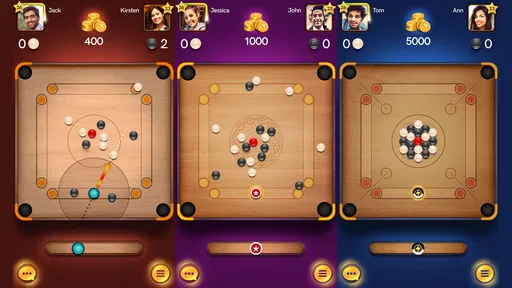
The app has two main modes: Carrom and Disc Pool. Each mode offers its own unique challenges and gameplay styles. In Carrom mode, you aim to pocket all the pieces before your opponent, just like the traditional game. Disc Pool, on the other hand, has a more casual vibe, focusing on pocketing discs in any order.
One thing I love about this game is its simplicity. The controls are intuitive; you just drag and release to strike the disc. It feels very natural, almost like the real thing. Plus, the physics engine is superbly developed, offering realistic bounces and ricochets that keep you on your toes.
When the Difficulty Starts to Matter
At first, the straightforward controls can make every match seem simple. The depth shows up when pieces block one another or a direct line to a pocket is unavailable. Then you have to decide whether to take a risky angle, move a blocker, or leave the board in a position that is less helpful to your opponent. That is where I find the difference between casual tapping and deliberate play.
My practical tip is to look at the whole board before each shot, not just the disc you want to pocket. A clean hit may still be a poor choice if it opens a simple scoring opportunity for the other player. Conversely, a defensive nudge can be smart when a direct attempt is unlikely to work. This does not mean every move needs a long calculation; it simply helps prevent the familiar mistake of taking the first shot that looks possible.
The two modes suit different moods. I would choose Carrom when I want the more traditional contest of clearing pieces and managing a developing board. Disc Pool is easier to dip into when I want a less formal round and a clear immediate aim. Neither changes the central pleasure of lining up a shot, but switching between them can keep the game from feeling like the same match repeated endlessly.
Visuals and Sound
The graphics are clean and crisp, perfectly capturing the essence of a carrom board. The developers have done a great job in making sure that everything looks polished, from the board's surface to the discs’ shadows. The sound effects, too, are spot on. The satisfying "click" when a disc hits another is music to my ears.
Multiplayer Madness
What’s a game without a bit of friendly competition? Carrom Pool: Disc Game allows you to challenge players from around the world. The multiplayer mode is seamless, with quick matchmaking and stable connections. Whether you're playing against a friend or a random opponent, the excitement of outmaneuvering and outsmarting them never gets old.
For those who prefer playing with friends, the app also offers a local multiplayer option. Gather your buddies, and let the fun begin! It’s a great way to bond and have a laugh, especially when someone misses an easy shot.
A Good Fit for Short, Social Breaks
I can see this working well in an everyday gap: a few minutes while waiting for food, a quiet break between tasks, or a relaxed game with someone sitting nearby. The turn-based feel of lining up a shot makes it easier to pick up for a brief session than a sports game built around long matches or constant action. Playing with a friend also gives the simple controls a social purpose; you can talk through a shot, tease each other over a miss, and keep the focus on the board rather than complicated rules.
Compared with the usual alternatives in mobile sports games, this is much more about precision and positioning than reflexes, team coordination, or managing a full match. That is a strength if you want a small, focused contest. It is less suitable if you are looking for realistic field sports, a deep career mode, or a game that rewards quick reactions above all else. A physical carrom board is still the better choice when the appeal is sitting around one table and handling the pieces in person; this version is convenient when that is not practical.
Online play gives you opponents beyond your household, while local play is a better fit when you already have someone beside you. I would choose based on the kind of break I want: a quick solo session against another player online, or a shared activity that does not require everyone to learn a complicated control scheme. If a connection is unreliable, online competition is naturally less appealing, so local play is the more sensible option when available.
Customization and Upgrades
One of the coolest features is the customization options. You can personalize your striker and discs, adding a personal touch to your game. With each victory, you earn coins, which can be used to unlock new items and upgrades. It’s addictive and adds an extra layer of motivation to keep playing.
I treat the unlocks as a side goal rather than a reason to chase every match. If you enjoy collecting visual options, they can make repeated rounds feel more personal. If you care mainly about improving, it is better to put attention into aiming and board position instead of assuming a new item will solve a difficult shot. That distinction keeps progression enjoyable without turning every result into a judgment on your skill.
When Returning Feels Like a Choice, Not a Chore
The game’s short-match appeal and gradual collection goals give me reasons to come back, but the same loop can become repetitive if I play for too long without changing modes or opponents. I find it more enjoyable in compact sessions than as something I need to grind through. A useful way to keep it fresh is to switch between Carrom and Disc Pool depending on whether I want a more tactical board or a lighter round, rather than forcing myself to keep playing after the matches stop feeling engaging.
There is also a free-to-play trade-off to keep in mind. The game costs nothing to start, but it includes optional purchases, and the available price range runs from ten cents to just under one hundred dollars per item. That spread is worth noticing before tapping through a purchase screen, especially if you are playing casually or sharing a device. I would set a spending boundary in advance and view paid items as optional extras, not a requirement for learning the game.
In-App Purchases and Ads
Like many free-to-play games, Carrom Pool: Disc Game includes ads and in-app purchases. While the ads can be a bit intrusive at times, they are not overwhelming. If you're really hooked, you might consider spending a little to remove them. The purchases mainly revolve around cosmetic items and boosters, so they’re not essential to enjoy the game.
Overall, the monetization is handled fairly well, and you can enjoy the game without spending a dime if you're patient with the ads.
Who I’d Recommend It To
The game is an easy recommendation for someone who already likes carrom, wants a compact competitive game, or enjoys careful aiming more than button-heavy action. It is also a friendly starting point for people who have never played the tabletop version, since dragging and releasing is quick to understand. The broad audience is reflected in its Everyone rating, and Miniclip.com has made a free sports game that is easy to try without committing money up front.
On the other hand, I would skip it if you dislike repeated one-on-one matches, ads, or free-to-play progression. It may also disappoint someone expecting a detailed simulation of every part of a physical carrom session. The digital version is convenient and focused, but it cannot recreate the shared table, the feel of flicking a real striker, or the atmosphere of a group gathered around a board. Those are meaningful differences, not flaws the phone version can fix.
Availability and Long-Term Appeal
There is a reason this game has reached a wide audience: it turns a familiar tabletop idea into a quick mobile contest with very little setup. It has more than 500 million installs and an average rating of 4.5 from around 7.7 million ratings, with about 8,000 written reviews. Those numbers suggest broad reach, but I would still judge it by whether you enjoy the core cycle of aiming, striking, and responding to an opponent.
It was released on March 26, 2019, and the current version is 18.16.0. The minimum operating system requirement is Android 8.0, so it is worth checking that your device meets it before installing. For a free game with optional in-app purchases, the sensible approach is to try the basic experience first and decide whether the match pace and ads suit you before spending anything.
Final Thoughts
All in all, Carrom Pool: Disc Game is a delightful app that brings the classic carrom experience to your fingertips. It's a game that’s easy to pick up but hard to put down. Whether you're in it for the nostalgia, the challenge, or just some casual fun, this game has got you covered. So, go ahead and give it a try. You might just find yourself hooked like I did!
If you’re ready to relive those childhood memories or create some new ones, head over to the app store and download Carrom Pool: Disc Game today. Let the games begin!
Privacy and Permissions
See what permissions an app requests and how it handles your data.
- Other
- view network connections, full network access, run at startup, control vibration, prevent device from sleeping, Google Play license check
Verdict
Strengths of Carrom Pool: Disc Game
- Smooth and intuitive gameplay.
- Variety of game modes available.
- Engaging multiplayer feature.
- Frequent updates and events.
- Offline mode for practice.
Limitations of Carrom Pool: Disc Game
- Occasional connectivity issues.
- In-app purchases can be pricey.
- Ads can be disruptive.
- Limited customization options.
- Some bugs in game physics.
Other Releases by Miniclip.com
View All
8 Ball Pool
Sports4.8

Pure Sniper: Gun Shooter Games
Action4.8

Football Strike: Online Soccer
Sports4.8

Cricket League
Sports4.6
Similar Picks in This Category
View All8 Ball Pool
Miniclip.com4.8

Pooking - Billiards City
AIM TOP GAME TECHNOLOGY LIMITED - pool4.6

EA SPORTS FC Soccer Mobile 26
ELECTRONIC ARTS4.6

World Soccer League
mobirix4.3

Soccer Cup 2026: Football Game
INLOGIC SPORTS - football tennis golf soccer4.3

Pro League Soccer
Rasu Games3.8
You May Also Like
View All

Frequently Asked Questions
What is Carrom Pool: Disc Game?
Carrom Pool: Disc Game is a digital adaptation of the popular tabletop game, Carrom. It offers a multiplayer experience where players can compete against friends or other online players in a classic board setting. The game is available on both Android and iOS platforms, providing a seamless and engaging gaming experience.
Is Carrom Pool: Disc Game free to play?
Yes, Carrom Pool: Disc Game is free to download and play. However, it includes in-app purchases that allow players to buy coins and gems, which can be used to unlock new boards, strikers, and other features. These purchases are optional and not necessary to enjoy the fundamental aspects of the game.
Can I play Carrom Pool offline?
Carrom Pool: Disc Game can be played offline in the single-player mode against AI opponents. However, to enjoy the full multiplayer experience, you need an internet connection. The online mode allows you to compete with friends or players worldwide, making the game more interactive and exciting.
How does matchmaking work in Carrom Pool?
The game uses a skill-based matchmaking system that pairs players with opponents of similar skill levels. This ensures fair competition and enhances the gaming experience by providing challenging but balanced matches. Players can also invite friends to play directly through the game’s interface.
What are the main features of Carrom Pool: Disc Game?
Carrom Pool offers several features, including multiple game modes such as Classic and Disc Pool, a variety of boards and strikers, and a global leaderboard. The game also supports customizations, allowing players to personalize their gaming experience. Regular updates ensure new content and improvements for continuous engagement.
Play our best games!


